If you already own a desktop, identify the exact model, workload, software backend, and limiting component before buying anything. A GPU upgrade can help when your target model and context fit its supported memory and runtime; it will not fix incompatible software, insufficient system memory, a weak power supply, or a workflow that depends on a supported NPU execution path. Buy a laptop for portability, a workstation for a supported and supportable configuration, and a new desktop when upgrades cannot solve your constraints.
Start with the job you need the computer to do
“Run AI locally” can mean chatting with a quantized language model, generating images, editing video, transcribing audio, or building software that calls models. Those jobs do not share one hardware requirement. Write down the exact application, model and revision, operating system, target context or image size, and whether you need interactive speed or can wait for a batch job. Check the model card and the application’s own hardware guidance before comparing machines. A parameter count by itself cannot tell you whether a model will load, what context will fit, or how quickly your workflow will run.
VRAM is a fit constraint, not a complete performance score
For GPU inference, model weights occupy only part of available memory. The runtime also needs memory for the working context and other buffers; increasing context length can increase that demand. Quantization stores values at lower precision and can reduce memory use, but methods make different quality and compatibility trade-offs. NVIDIA’s NIM profile documentation makes the distinction concrete: a profile can be compatible, low-memory, or incompatible, and a low-memory profile can run with reduced context. Use the target application’s profile or a documented memory estimate as a starting point, then test the exact model and settings on the machine you plan to use. Do not treat a GPU’s advertised memory capacity as a promise that every model or context will fit.
Check the software path before choosing a GPU
A GPU can have enough memory and still be a poor purchase for a particular app if its driver, operating system, inference backend, or model kernel is unsupported. NVIDIA lists GPU models verified for specific NIM profiles and separately documents architecture and minimum-memory requirements; other GPUs may be technically compatible but unverified. Ollama documents GPU support by vendor and backend, while AMD’s ROCm matrix is specific to GPU, operating system, and software versions. Check the current compatibility page for your exact card and intended stack; a vendor-wide label such as “AMD supported” is not enough to establish that your specific workflow works. Software support changes, so save the link and version you used when you make the decision.
Desktop upgrade, new build, laptop, or workstation?
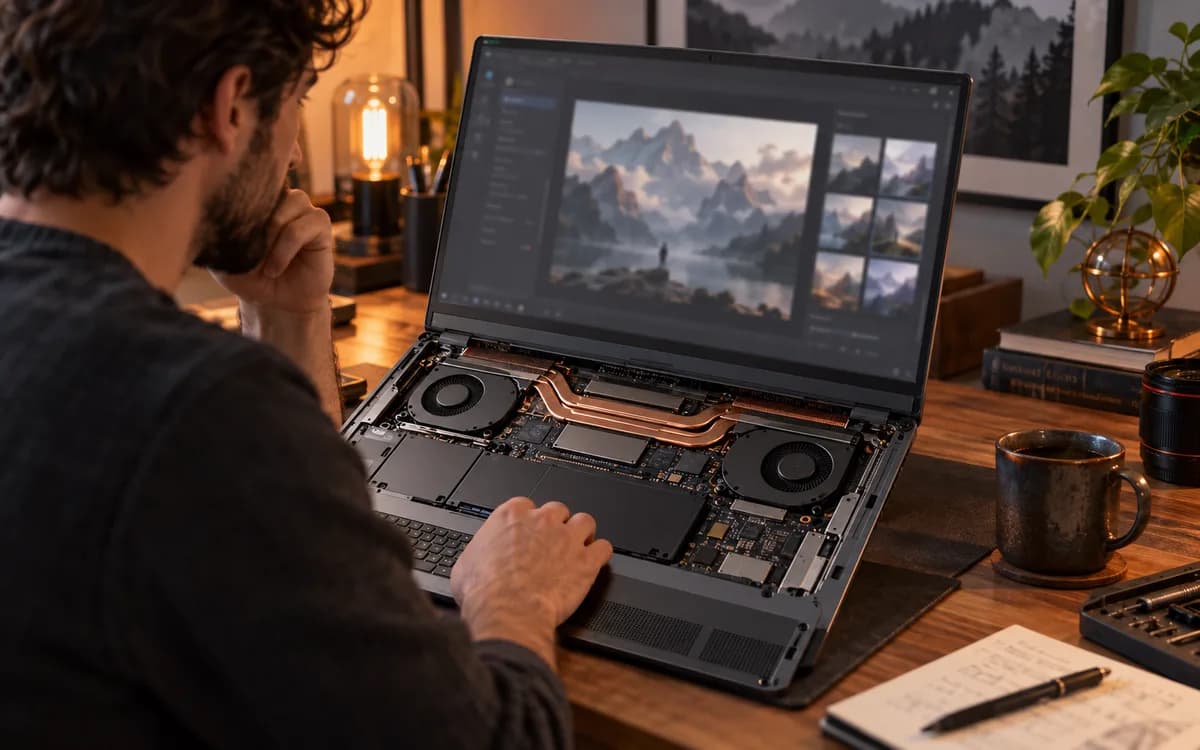
Compare the whole system and the way you work. An existing desktop is often the first option to investigate because a targeted upgrade may preserve usable parts, but first verify the case, power supply, connectors, cooling, motherboard, operating system, and software support. A new desktop lets you choose those constraints together. A laptop trades upgrade flexibility for portability and may rely on a particular GPU or NPU software path. A workstation can offer a documented configuration and vendor support; the word “workstation” alone does not guarantee that an AI framework supports its accelerator.
| Path | Consider it when | Check before spending |
|---|---|---|
| Upgrade desktop | The current system is compatible and one identified part limits your target workload. | GPU clearance, power supply capacity/connectors, cooling, memory fit, driver and backend support. |
| Build desktop | You need to choose memory, power, cooling, storage and upgrade room together. | Exact app support, total system cost, component dimensions, power draw, warranty and local availability. |
| Buy laptop | Portability matters more than part replacement or future GPU upgrades. | Exact GPU/NPU support in your app, shared-memory limits, thermal behavior, ports and warranty. |
| Buy workstation | Your work benefits from a validated configuration, service, or vendor support. | The exact accelerator and software stack are listed as supported; confirm support terms and upgrade limits. |
Treat NPU TOPS and GPU memory as different specifications
An NPU may be useful for supported, power-efficient on-device tasks, but a TOPS figure is not a substitute for GPU memory or proof that a model runs in your application. Windows ML can route supported workloads through execution providers for CPU, GPU, or NPU hardware. The provider, model format, drivers, and application determine what actually runs. Before paying extra for an NPU feature, confirm that the software you use supports it and that the expected task is compatible. For a local language-model workflow, verify the actual runtime path rather than comparing TOPS numbers across unlike accelerators.
Make a country-aware budget with current listings
There is no durable “best value” part list that stays accurate across the US, UK, Canada, and EU: stock, currency, tax, shipping, warranty, and sales change. Compare the complete upgrade or machine price in your own country, including parts you must replace and any cooling or power changes. Check at least two reputable local sellers on the same day, record the model number and warranty, and compare the total against a new system with the same target workload. Our AI workstation planner helps you start from country, budget, and workload; confirm its estimates against current retailer listings before purchase.
- Record the exact application, model revision, operating system, target context or output size, and acceptable wait time.
- Check the model owner’s requirements and the runtime’s current GPU/NPU compatibility page.
- Estimate model, context, and runtime memory together; leave room for the rest of the system and concurrent apps.
- For a desktop, confirm card dimensions, power supply connectors and capacity, case airflow, motherboard fit, and warranty effects.
- Compare full local-currency totals, including tax, shipping, replacement components, and return terms.
- Test the exact app and settings during the return window; record load success, memory use, speed, and output quality.
Frequently asked questions
How much VRAM do I need to run a local AI model?
There is no single VRAM number for every model. It depends on the exact model and quantization, context length, runtime, and other GPU workloads. Check the model owner’s requirements and the runtime’s fit profile, then test the settings you intend to use.
Can I use a smaller quantized model on a GPU with less memory?
Often, quantization reduces the memory used by model weights, but it can affect output quality and does not remove context or runtime memory needs. Confirm that your app supports the chosen quantization and verify the model at your intended context length.
Should I upgrade my current PC or build a new one for local AI?
Upgrade if you have identified a specific bottleneck and the case, power, cooling, motherboard, and software support are compatible. Build new if several constraints would force replacements or the total upgrade cost approaches a suitable new system. Compare complete local prices before deciding.
Is a laptop NPU enough for local language models?
An NPU can accelerate supported workloads, but its TOPS rating alone does not show whether a particular language model, context, or runtime is supported. Check the application’s supported model formats and execution providers for the exact laptop.
Will an AMD GPU work with my local AI software?
It depends on the exact GPU, operating system, driver, runtime, and model backend. Consult the current compatibility matrix for that combination; support for one AMD card or platform does not establish support for every card or application.
Are current AI PC part prices the same in the US, UK, Canada, and EU?
No. Currency, tax, stock, shipping, warranty, and retailer pricing vary by market and date. Compare current listings in your country and include the full system cost rather than relying on an undated global price estimate.
Sources & further reading
Primary sources checked Sep 27, 2026. Vendor statements are attributed; editorial advice is our own.
- 1
- 2
- 3Quantization overview ↗Hugging Face Transformers documentation
- 4GPU support ↗Ollama documentation
- 5Context length ↗Ollama documentation
- 6Windows ML overview ↗Microsoft Learn
- 7Radeon and Ryzen Linux compatibility matrix ↗AMD ROCm documentation
Help us keep this useful. Send a correction or a primary source →